


Why Online Account Security Is Essential
Every day, hackers target millions of online accounts. Weak passwords, reused credentials, and phishing emails make accounts vulnerable. Learning how to protect your online accounts with 2FA and password managers ensures your personal and professional information remains secure.
In this guide, you will discover simple, practical steps to enable two-factor authentication, choose and use a password manager, and adopt best practices for digital security. Following these methods helps safeguard your sensitive data across email, social media, banking, and freelance platforms.
Step 1: Understanding Two-Factor Authentication (2FA)
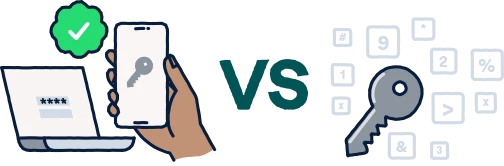
Two-factor authentication, or 2FA, adds an extra layer of security to your accounts. It requires not only your password but also a second verification step, such as a temporary code or a hardware device. This prevents hackers from accessing your account even if your password is compromised.
Types of 2FA
- Authenticator apps: Apps like Google Authenticator, Authy, and Microsoft Authenticator generate temporary codes for login.
- SMS codes: One-time codes sent to your phone number, providing a quick verification method.
- Hardware keys: Physical devices like YubiKey offer the highest level of security by requiring a touch to authenticate.
Step 2: Setting Up 2FA on Your Accounts
Most online platforms, including Gmail, Facebook, and banking apps, support 2FA. To set it up:
- Navigate to your account’s security settings.
- Select “Two-Factor Authentication” or “Multi-Factor Authentication.”
- Choose your preferred method—app, SMS, or hardware key.
- Follow the setup instructions and save backup codes securely for emergencies.
Additionally, regularly review your security settings to ensure 2FA remains active on all critical accounts.
Step 3: Understanding Password Managers
Password managers store and encrypt your passwords in a secure digital vault. They can also generate strong, unique passwords for each account, reducing the risk of reuse. Using a password manager simplifies login while keeping your accounts safe.
Benefits of Using Password Managers
- Secure storage for all your passwords in one place.
- Auto-fill passwords to save time and reduce errors.
- Password generation for creating strong, unique credentials.
- Sync across devices so you can access passwords safely anywhere.
Choosing the Right Password Manager
When selecting a password manager, consider these factors:
- End-to-end encryption, which ensures only you can read your passwords.
- Compatibility with your devices and browsers.
- Support for two-factor authentication.
- Secure password sharing if multiple users need access.
Step 4: Setting Up Your Password Manager
- Download and install your chosen password manager.
- Create a strong master password—the only one you’ll need to remember.
- Enable two-factor authentication for extra security.
- Import existing passwords or add accounts manually.
- Use the built-in generator to create strong, unique passwords for every account.
Moreover, regularly update passwords for important accounts and remove any that are no longer in use.
Step 5: Best Practices for Strong Online Security
- Always use unique passwords for each account.
- Keep software and apps updated to patch security vulnerabilities.
- Be cautious of phishing emails and suspicious links.
- Regularly review account activity for unusual logins.
- Back up passwords securely, avoiding unencrypted cloud services.
Step 6: Combining 2FA with Password Managers
Using 2FA alongside a password manager provides maximum protection. While the password manager handles complex credentials, 2FA ensures that stolen passwords cannot be misused. This combination is essential for email, social media, banking, and freelancing accounts. For example, even if a hacker obtains your password from a breach, 2FA stops them from logging in without the verification code.
Step 7: Securing Your Devices
Even with strong passwords and 2FA, insecure devices remain a vulnerability. Take the following precautions:
- Use passcodes, fingerprint recognition, or facial recognition to lock devices.
- Keep antivirus and security apps up to date.
- Avoid logging into sensitive accounts on public Wi-Fi without a VPN.
- Log out of accounts when using shared or public computers.
Step 8: What to Do If Accounts Are Compromised
- Immediately change your password and update 2FA settings.
- Check account activity logs for suspicious logins.
- Contact platform support to report unauthorized access.
- Monitor linked accounts for unusual activity or signs of identity theft.
Furthermore, notify friends or colleagues if your email or social accounts are compromised to prevent further damage.
Frequently Asked Questions
What is 2FA, and why is it important?
Two-factor authentication requires two methods to verify identity, typically a password and a temporary code. It prevents unauthorized access even if passwords are stolen.
Are password managers safe?
Yes. Trusted password managers encrypt all stored data, making it nearly impossible for hackers to access your credentials.
Can I use 2FA without a password manager?
Yes. While 2FA strengthens security, using both 2FA and a password manager provides the highest protection.
Which 2FA method is the most secure?
Hardware keys like YubiKey are the most secure, followed by authenticator apps. SMS codes are less secure due to risks like SIM-swapping attacks.
What if I lose access to my 2FA device?
Platforms provide backup codes or alternative methods during setup. Keep these codes in a safe place for emergencies.
How often should I update passwords?
Update critical passwords at least every 6–12 months and immediately after any suspected breach.